

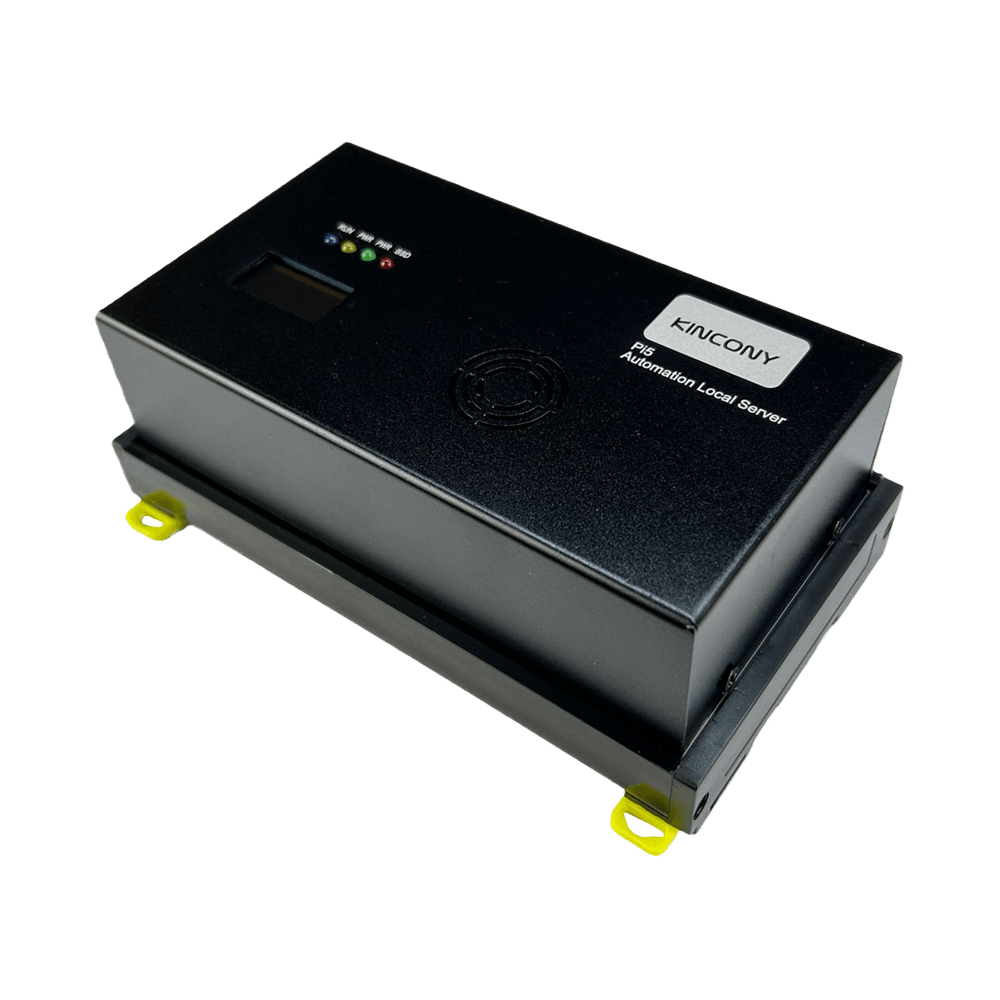


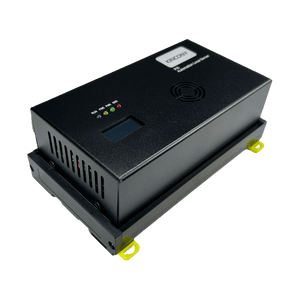
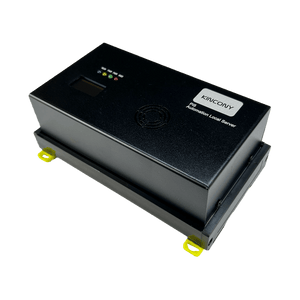
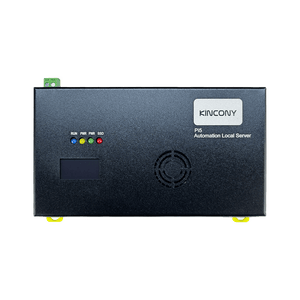
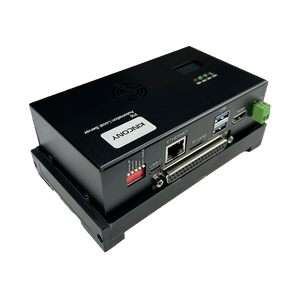
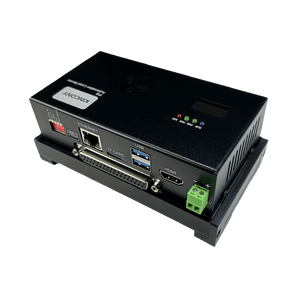
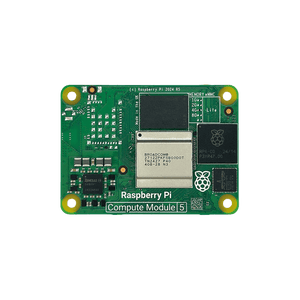
KinCony Pi5V2 – Raspberry Pi CM5 Automation Server
Frequently Bought Together
Version Options

Base Version
The baseboard only — no CM5 module and no cooling module included. Ideal for users who already own a Raspberry Pi CM5 and prefer to add their own cooling solution, or for those who want to source components separately.

Complete Version
Fully assembled with a Raspberry Pi CM5 (CM5004000 Lite) and a cooling module pre-installed and tested. Ships ready to boot — just flash Raspberry Pi OS to a microSD card and start building your Linux server.
GPIO Extender DB37 (Optional)
The DB37 GPIO extender is an optional accessory that brings out the CM5's GPIO pins to a standard DB37 connector, making it easy to connect sensors, relays, and other industrial I/O. Below are the appearance and detail views.


Features
- Powered by Raspberry Pi Compute Module 5 (CM5) — default CM5004000 Lite (4GB RAM, 0GB eMMC), wireless variant optional
- Flexible storage: microSD card + M.2 M-Key PCIe NVMe SSD for high-speed databases and logging
- Rich connectivity: Gigabit Ethernet, 1× HDMI 2.0, 2× USB 3.0, and USB-C (power & data)
- Expandable via M.2 PCIe and optional DB37 GPIO extender — access the CM5's 40-pin GPIO for custom I/O
- Industrial-grade design: 12–24V DC wide voltage input, 35 mm DIN-rail mounting, and robust metal enclosure
- Complete Version includes CM5 module and active cooling module factory pre-installed
- Runs full Linux OS — supports Home Assistant, Node-RED, Docker, media server, NAS, VPN, and more
- Onboard SSD1306 OLED display (I²C) for system status, plus DIP switches for configuration
- No built-in relays or digital I/O — ideal for custom projects requiring full compute power and flexible expansion
Why Choose the Pi5 IoT Server V2
- Fully Local, No Monthly Fees — Run Home Assistant, Node-RED, or any Linux software locally. Your data stays in your home — no cloud subscriptions, no hidden costs.
- Industrial-Grade Reliability, Home-Friendly Design — DIN-rail mounting, wide 12–24V DC input, and an active cooling module pre-installed on the Complete Version. Perfect for both home automation and industrial deployments.
- Flexible Storage, Scalable Performance — Start with microSD, or add an NVMe SSD via the M.2 PCIe socket. Ideal for databases, logging, and long-term operation.
- Expand Freely, Adapt Easily — Optional DB37 GPIO extender lets you connect sensors, relays, and other hardware directly — building a complete all-in-one automation system.
- Full Linux, Total Control — Root access, install any software, configure any service. Customize everything exactly the way you need — no locked-down system limitations.
Technical Specifications
| Category | Specification |
|---|---|
| Operating System | Linux (compatible with Home Assistant, Node-RED, etc., installed by user) |
| Core Processor |
Raspberry Pi Compute Module 5 (CM5)> ▪ Default: CM5004000 (Broadcom BCM2712 quad-core Cortex-A76, 4GB RAM Lite) |
| Memory | 4GB LPDDR4X (on-module) |
| Networking | ▪ Gigabit Ethernet (RJ45, 10/100/1000 Mbps) ▪ IPv4/IPv6 support |
| Video Output | 1 × full-size HDMI 2.0 port |
| USB Ports | ▪ 2 × USB 3.0 Type-A sockets ▪ 1 × USB-C (power and data) |
| Expansion | ▪ M.2 M key PCIe socket ▪ CM5 GPIO extender (optional accessory) |
| Other I/O | ▪ DIP switch for jumpers ▪ Onboard SSD1306 128×64 OLED display (I²C) |
| Power Supply | 12-24 VDC |
| Dimensions | 146 × 83 × 56 mm |
| Mounting | 35 mm DIN rail (EN 60715) |
Packing List
Version
Version


Note: The Base Version includes the baseboard only — no CM5 module and no cooling module. The Complete Version ships fully assembled with the CM5 and cooling module factory pre-installed.
Batch Customization Service
Support software and hardware customization including interface logo label case etc.
Label Customization
Logo, sticker, nameplate
Hardware Customization
PCB, interface, casing
Software Customization
Firmware, function, UI
Contact Customer Service
Send your customization requirements
One-to-One Technical Service
Professional evaluation and solution
Sign Contract & Start Project
Custom development and sample making
Sample Approval & Mass Production
Batch delivery after sample passes
IoT Server V2 vs Pi5R8 vs Pi5M8
Shared Features: Raspberry Pi CM5 (N16R8) · Gigabit Ethernet + Wi-Fi + Bluetooth · DS3231 RTC · microSD (SPI) + M.2 PCIe NVMe · DIN-rail mounting · Home Assistant / Node-RED / Docker support.
Key Differences
| Item |
Pi5V2 (Pure CM5 Compute) |
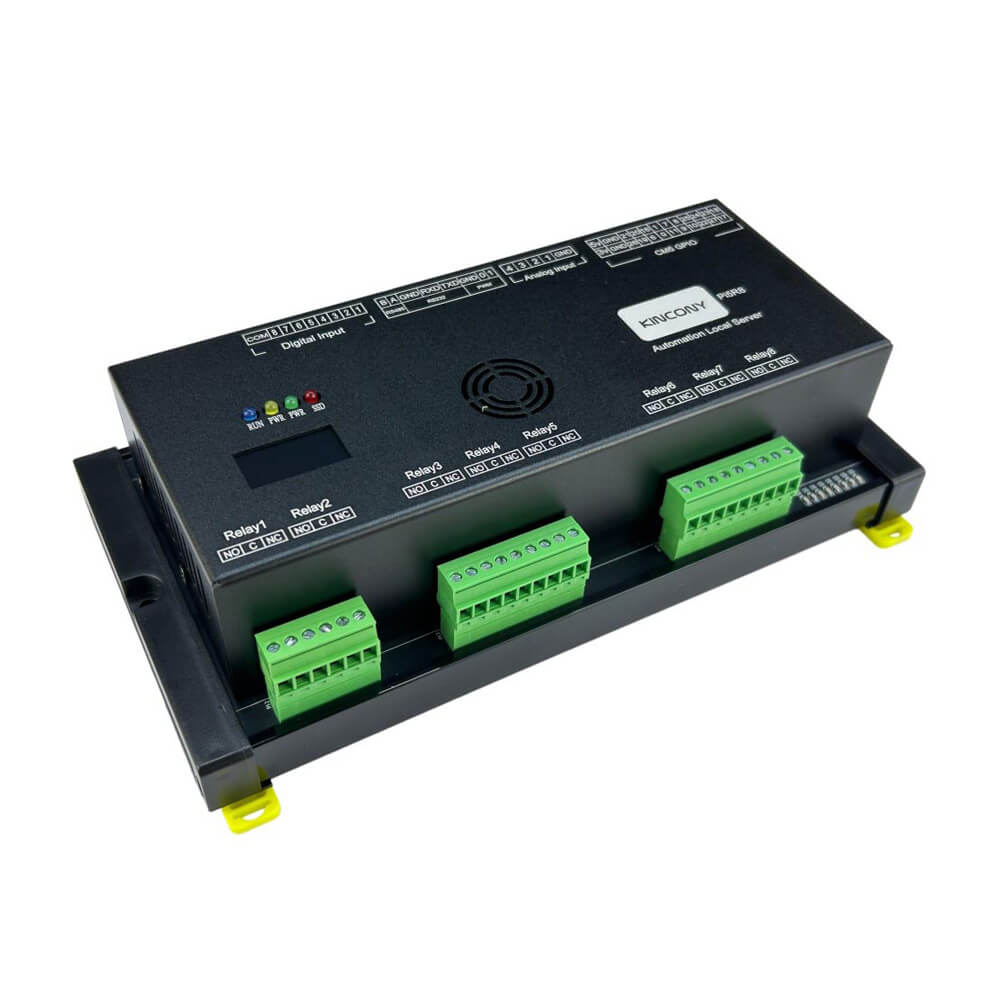 Pi5R8 (8CH Relay) |
 Pi5M8 (8CH MOSFET) |
|---|---|---|---|
| Form Factor | Pure Compute Server — no built-in I/O | Controller with 8× Relay Outputs + 8× DI | Controller with 8× MOSFET Outputs + 8× DI |
| Built-in Outputs | None | 8× Relay (SPST-NO / Form A) | 8× MOSFET DC Switch |
| Load Capability | N/A (requires external I/O) | AC 250V / 10A per channel (DC loads also supported within rating) |
DC only, 2A per channel (continuous) |
| Digital Inputs | None | 8× opto-isolated | 8× opto-isolated |
| Analog Inputs | None (expandable via I2C) | 4× ADS1115 16-bit ADC | 4× ADS1115 16-bit ADC |
| Expansion | High — M.2 PCIe, GPIO header, USB 3.0, HDMI 2.0 | Limited — onboard I/O only | Limited — onboard I/O only |
| Switching | N/A | Mechanical contact; audible click, slower | No contact, silent, high-speed; supports PWM |
| Best For | Custom projects needing full CM5 compute power, flexible expansion, and no fixed I/O | Small-scale AC/DC automation with a few high-current loads | Small-scale DC automation with fast switching or PWM |
| Dimensions | 146 × 83 × 56 mm | 202 × 105 × 58 mm | 170 × 105 × 58 mm |
Which One Should You Choose?
Choose IoT Server V2 if you need:
- A pure Raspberry Pi CM5 compute platform — full Linux server capabilities without fixed I/O costs
- Maximum flexibility — expand via M.2 PCIe, GPIO, or USB to build your own I/O configuration
- Media or network-centric applications — dual 4K HDMI, Gigabit Ethernet, and USB 3.0 for edge servers
- Lowest entry cost to the Pi5 ecosystem with a CM5 module included
Choose Pi5R8 if you need:
- 8 independent AC/DC loads in a compact, cost-effective package
- Highest per-channel rating (AC 250V / 10A) — relays switch both AC and DC
- Edge or remote nodes — small control cabinets, distributed installations
- Plug-and-play automation without additional I/O wiring
Choose Pi5M8 if you need:
- 8 independent DC loads in a compact, cost-effective package
- Fast switching or PWM dimming — silent, long lifespan
- Edge or remote nodes — distributed installations
- All loads share the same DC voltage (12–24V recommended)
I. Software Stack Options & Features
The IoT Server V2 runs a full Raspberry Pi OS on the CM5 module — a true Linux server with M.2 PCIe NVMe, HDMI 2.0, USB 3.0, and Gigabit Ethernet. Unlike the Pi5 I/O controllers (Pi5R8, Pi5M32, etc.), it has no built-in relays or digital I/O, so you're free to install any Linux-based software stack. Note: the default CM5004000 Lite module does not include Wi-Fi or Bluetooth; choose a wireless CM5 variant if you need wireless connectivity.
| Solution | Ideal For | Key Advantages |
|---|---|---|
| 1. Home Assistant (Smart Home Hub) | Smart Home & Building Automation |
✔ Full local control — no cloud dependency ✔ Auto-discovers MQTT, Modbus, and IP-based devices ✔ Rich dashboard + mobile app + voice assistants ✔ Thousands of community integrations for sensors, lights, HVAC ✔ Integrate with external I/O via MQTT, Modbus TCP, or USB adapters |
| 2. Node-RED (Logic & Data Flows) | Visual Automation & Data Routing |
✔ Browser-based flow editor — no coding required ✔ MQTT, Modbus, HTTP, WebSocket, TCP/UDP nodes built-in ✔ Bridge external relays, PLCs, and cloud services ✔ Import community flows for thousands of integrations ✔ Ideal for complex automation logic and data routing |
| 3. Python / Custom Code | Developers & Integrators |
✔ Full Linux environment — Python, C++, Node.js, Go, Rust ✔ Direct access to GPIO header (40-pin) for custom I/O ✔ Flask / FastAPI web services, scheduled tasks, systemd services ✔ Connect to M.2 NVMe, USB peripherals, and network devices |
| 4. Docker & Container Stack | Advanced Deployments |
✔ Run Home Assistant, Node-RED, Mosquitto, Grafana, InfluxDB together ✔ Docker Compose for reproducible deployments ✔ Isolated services — easy backup and migration ✔ M.2 NVMe for fast container storage |
| 5. Media Server / NAS / VPN | Edge Server & Network Services |
✔ Jellyfin / Plex / Emby media server with HDMI output ✔ Samba / NFS NAS with M.2 NVMe storage ✔ AdGuard Home / Pi-hole network-wide ad blocking ✔ WireGuard / OpenVPN for secure remote access |
II. Hardware Interface & Pin Reference
The IoT Server V2 exposes the CM5's native interfaces — HDMI, USB, Ethernet, M.2 PCIe, and the 40-pin GPIO header. Below are the key interfaces.
| Interface | Device / Mapping |
|---|---|
| Video Output | 1× full-size HDMI 2.0 — supports up to 4K display |
| USB | 2× USB 3.0 — for peripherals, storage, and USB-to-RS485/RS232 adapters |
| Ethernet | Gigabit Ethernet (RJ45) — 10/100/1000 Mbps, supports IPv4/IPv6 |
| Storage | microSD card slot + M.2 M-Key PCIe NVMe socket — supports NVMe SSD |
| GPIO Header | 40-pin GPIO (via optional GPIO extender) — UART, I2C, SPI, PWM, and free GPIO for custom expansion |
| Power Input | DC 12–24V wide voltage input |
| Cooling | Active cooling module (pre-installed on the Complete Version) |
III. Getting Started Guide
Step 1: Install Raspberry Pi OS
Download Raspberry Pi Imager, select Raspberry Pi 5 / CM5 as the target device, and flash Raspberry Pi OS (Bookworm or later) to a microSD card or M.2 NVMe. For NVMe boot, update the CM5 bootloader first. Full installation guide →
Step 2: Enable Interfaces
In the Pi OS configuration, enable I2C and Serial Port if you plan to use the GPIO header for external modules. Then edit /boot/firmware/config.txt and add dtoverlay=uart2 to enable /dev/ttyAMA2 if needed. Reboot.
Step 3: Install Automation Software
Install your preferred stack: Home Assistant via Docker, Node-RED via the install script, or use Python (gpiozero) for custom control. Media server, NAS, and VPN software can be installed the same way.
IV. Node-RED Quick Start: Bridge Any Device in Minutes
Node-RED is pre-installed with Raspberry Pi OS and ready to use. Use it to bridge external I/O, PLCs, MQTT devices, and cloud services — no dedicated flow is required for the IoT Server V2 since it has no built-in I/O. Import community flows for Modbus, MQTT, HTTP, and more.
| Resource | Link |
|---|---|
| Node-RED on Pi5 | How to install Node-RED and import flows on Pi5 → |
| Modbus Node |
node-red-contrib-modbus — for RS485 / Modbus TCP integration with external PLCs and I/O modules
|
| MQTT Node |
node-red-contrib-mqtt — for MQTT broker communication with Home Assistant and external devices
|
| GPIO Node |
node-red-node-pi-gpio — for direct 40-pin GPIO control (PWM, digital I/O, UART)
|
Looking for software solutions for other products?
View All Product Software Solutions →