


KinCony F32 32-Channel Smart Relay Controller | Relay Modules Removable
Frequently Bought Together
Start your journey into reliable control with the KinCony F32: The compact yet capable smart relay controller. Based on the powerful ESP32-S3, this streamlined controller features 32 socket-mounted OMRON® relays with dedicated manual override buttons, designed for quick and safe relay replacement after power-down. With its versatile 12/24VDC power input, comprehensive I/O, and robust connectivity options, the F32 is the perfect foundation for smaller-scale industrial automation, smart home projects, or as a dependable building block in distributed control systems.
Why You'll Love This Controller
✔ Unmatched Serviceability in a Compact Package
Experience the flagship F series advantage of pluggable relays in a more compact size. Simplify maintenance and future upgrades without the need for soldering or complex repairs.
✔ Guaranteed Control with Essential Manual Override
The dedicated manual toggle switch ensure you always have direct, hardware-level command over your critical loads, providing peace of mind and operational safety.
✔ Your Flexible Gateway to Major Smart Ecosystems
Easily integrate into Home Assistant (via MQTT Auto-Discovery), Apple HomeKit, or manage remotely via Tuya Smart. The built-in 433MHz RF receiver instantly adds support for a wide range of affordable wireless sensors.
✔ Built for Reliable “Set and Forget” Operation
From industrial-grade OMRON relays and opto-isolated inputs to a wide-input-voltage power design, the F4 is engineered for dependable performance in demanding environments.
✔ Open Platform for Creative Customization
Leverage the open-source programmability of the ESP32-S3 with Arduino IDE, MicroPython, or ESP-IDF to develop tailored logic and automation that fits your specific project needs.
Among other outstanding features are the following:
- Pluggable OMRON® Relays: High-quality 16A relays are socketed for tool-free replacement, ensuring easy maintenance and long-term uptime.
- Manual Override Buttons: 32 physical toggle Switch provide direct, fail-safe control of each relay channel, independent of the controller's logic state.
- Professional & Compact Form Factor: DIN-rail mountable design allows for neat installation in any electrical enclosure, even in tight spaces.
- Versatile Connectivity Suite: Equipped with Wi-Fi, Ethernet, RS-485, and a 433MHz RF receiver for flexible integration into various systems.
- Standalone Operational Intelligence: High-precision RTC with battery backup enables scheduled automation without requiring a constant internet connection.
- Clear System Status: On-board LCD displays real-time network information and system status at a glance.
Technical Specifications:
| Category | Specification |
|---|---|
| Core Processor | ESP32-S3-WROOM-1U (N16R8, dual‑core 32‑bit Xtensa LX7) |
| High-Power Outputs | 32× OMRON® SPDT relays (removable modules) ▪ Contact: COM, NO ▪ Max load: 250 VAC / 30 VDC, 16 A per channel |
| Analog Inputs | 4× 16‑bit ADC ▪ 2× 0–5 VDC ▪ 2× 4–20 mA (loop‑powered) |
| Digital Inputs | 32× dry contact, opto‑isolated ▪ Cable length: up to 500 m (dependent on installation) |
| Digital I/O (GPIO) | ▪ 4× 1‑Wire interface (with pull‑up) ▪ 2× free GPIO (direct to ESP32, no pull‑up) |
| Wired Connectivity | ▪ Wi‑Fi 2.4 GHz (802.11 b/g/n) ▪ Bluetooth 5.0 (BLE) ▪ 433 MHz RF receiver |
| IoT Platform | Tuya‑compatible (via Wi‑Fi/Bluetooth) |
| Wired Connectivity | ▪ Ethernet: 100M RJ45 (IPv4/IPv6) ▪ RS485 ▪ USB‑C (power/programming) ▪ I²C (expansion) |
| Onboard Peripherals | ▪ RTC: DS3231 (battery socket) ▪ Display: SSD1306 128×64 OLED (I²C) ▪ Storage: microSD card socket |
| Power Supply | 12/24 VDC (12 VDC default) |
| Dimensions | 452 × 127 × 62 mm |
| Mounting | 35 mm DIN rail (EN 60715) |
I. Firmware Options & Features
| Solution | Ideal For | Key Advantages |
|---|---|---|
| 1. KCS Firmware (Recommended) | Beginners / Zero-Code Users |
✔ Auto-detects Home Assistant via MQTT (zero config) ✔ Works with Tuya App + Alexa/Google Voice Control ✔ Local IFTTT automation (no internet needed) ✔ 2-year free KinCony Cloud (official store only) ✔ Apple HomeKit support for Siri ✔ Supports Loxone Miniserver integration ✔ Multi-protocol: HTTP, MQTT, TCP, RS485 Modbus, Tuya |
| 2. ESPHome Firmware | Home Assistant Enthusiasts |
✔ Full open-source customization ✔ Official ESPHome device support for F32 ✔ Web UI + deep HA integration ✔ Full YAML examples available |
| 3. Tasmota Firmware | Open-Source Community |
✔ Massive plugin ecosystem ✔ MQTT / Web control + rule engine |
| 4. Arduino / ESP-IDF Custom Code | Developers |
✔ Full Arduino demos provided ✔ Supports MicroPython / ESP-IDF |
| 5. Hybrid Setup (Best Practice) | Advanced Users | Tuya App (remote via internet) + Home Assistant (local via LAN) — Security + convenience |
II. Technical Resources
Direct links to pin definitions, ESPHome configurations, Arduino demo source codes, and KCS firmware. All open-source and maintained on GitHub.
| Resource | Link |
|---|---|
| KCS Firmware | kcs_firmware/F32/ |
| Pin Definitions | F32_pin_definition.md |
| Arduino Demos | F32/ (11 examples) |
| ESPHome Configuration | Official ESPHome F32 device page |
III. Getting Started Guide
Step 1: Flash Firmware
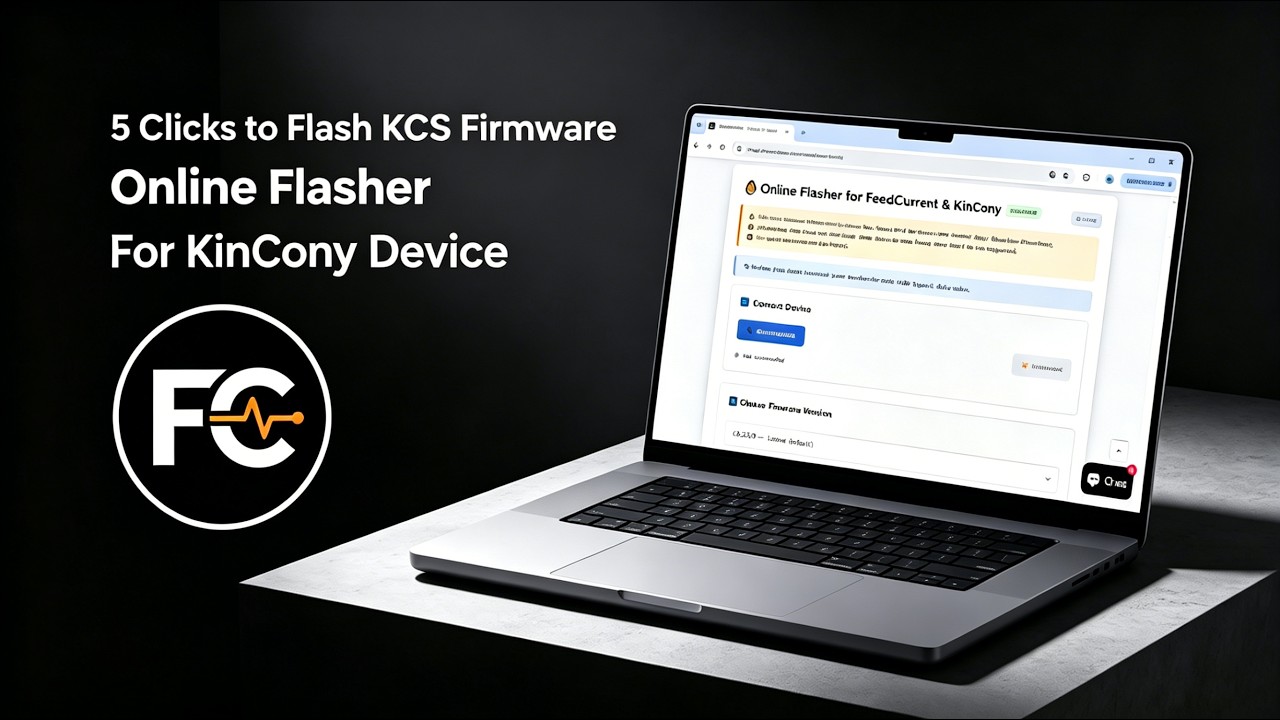
We recommend using the Online Flasher — no driver installation required, works entirely in your browser. Alternatively, follow the Quick Start Guide for manual flashing with the ESP32 desktop tool.
Step 2: Connect & Configure
Power on the board, connect via Ethernet or Wi-Fi, and access the web configuration interface. For detailed configuration, see the KCS Firmware User Guide.
Step 3: Integrate
Enable MQTT auto-discovery in Home Assistant, or pair with Tuya App for voice control.
IV. Video Tutorial: How to Flash KCS Online
No Drivers Needed, No Complex Setup—Flash Directly within Your Browser in 1 Minute!
Looking for software solutions for other products?
View All Product Software Solutions →