

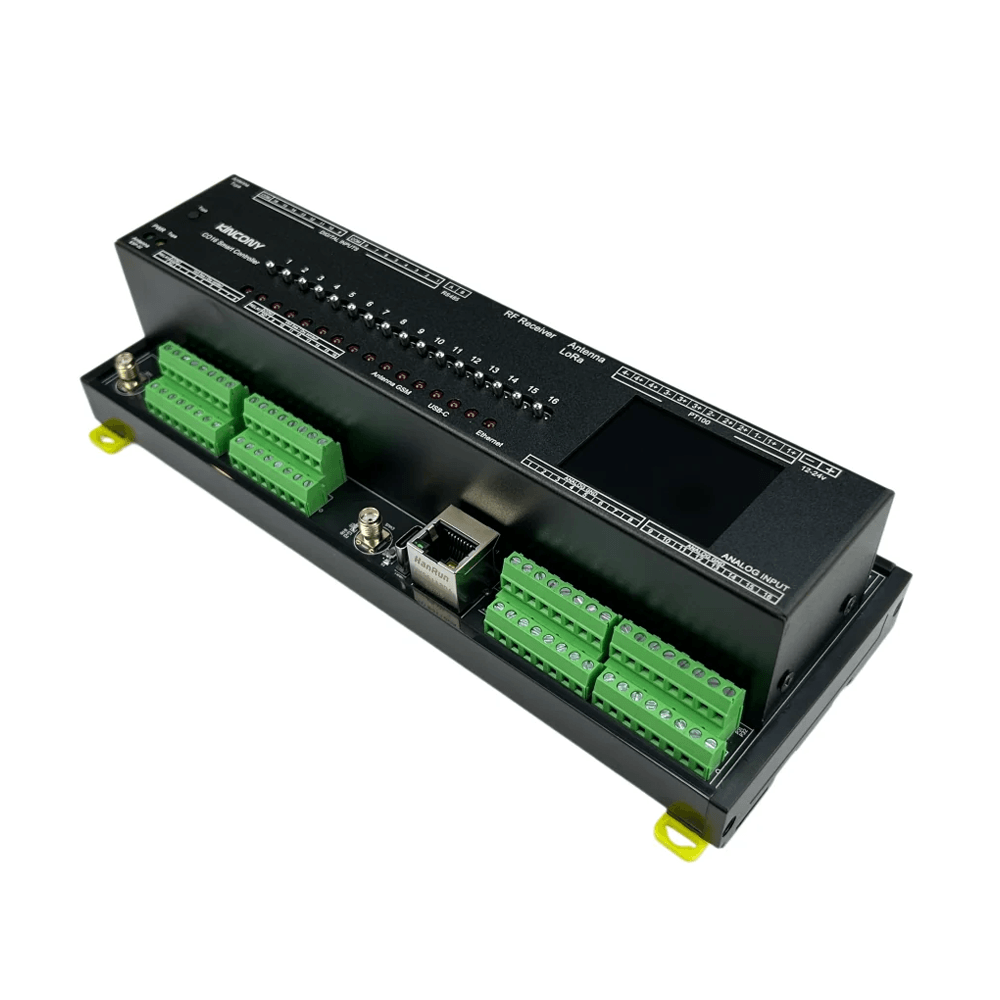


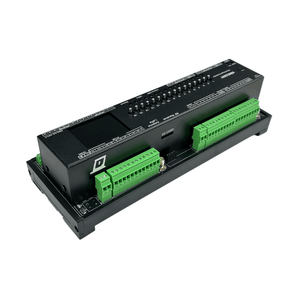
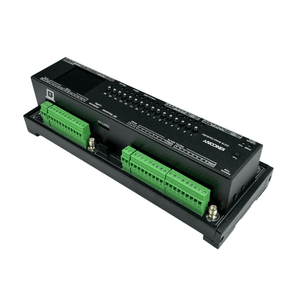
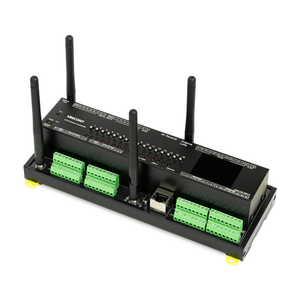

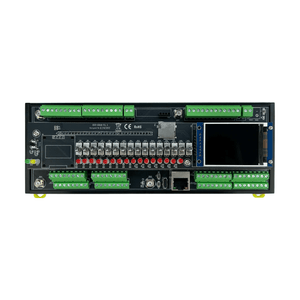
KinCony CO16 16-Ch Analog & 4-Ch PT100 Smart Relay Controller
Frequently Bought Together
Features
- ESP32-S3 dual-core LX7 processor with 2.4 GHz Wi-Fi and Bluetooth LE
- Sixteen 16-bit analog inputs powered by 4× ADS1115 ADCs, supporting DC 0–10 V or 4–20 mA per channel via jumper selection
- Sixteen relay outputs (AC 250 V / 7 A per channel) and sixteen opto-isolated dry contact inputs
- Onboard ST7789 SPI color TFT LCD showing Wi-Fi / Ethernet IP address and Tuya connection status
- Supports up to 4-channel PT100 RTD temperature sensing (read via MAX31865, channel-switched by NX3L4051)
- 100M Ethernet, isolated RS485, USB-C, and SIM7600E 4G module slot
- Onboard DS3231 high-precision RTC with battery socket, microSD card slot (SPI bus), and 3 configuration buttons
- 12–24 V DC wide-voltage input and 35 mm DIN-rail mounting
- KCS v3 firmware supporting HTTP, MQTT, Modbus (RS485/TCP), BACnet, DMX512, and Tuya
- Home Assistant auto-discovery; compatible with KinCony Cloud, Loxone Miniserver, and Apple HomeKit for Siri
- Supports ESPHome, Tasmota, Arduino IDE, MicroPython, and ESP-IDF
Technical Specifications
| Category | Specification |
|---|---|
| Core Processor | ESP32-S3-WROOM-1U (N16R8, dual‑core 32‑bit Xtensa LX7) |
| Analog Inputs |
16× ADS1115 16‑bit ADC ▪ Each channel: DC 0–10 V or 4–20 mA (set by jumper) ▪ Jumper UP: DC 0–10 V signal ▪ Jumper DOWN: DC 4–20 mA signal |
| Temperature Inputs |
4× PT100 RTD ▪ Read via MAX31865 ▪ Channel switching via NX3L4051 |
| Digital Outputs |
16× relays ▪ Contact: COM, NO (1 × SPST-NO / Form A per channel) ▪ Max load: AC 250 V / 7 A per channel |
| Digital Inputs |
16× dry contact, opto‑isolated ▪ Cable length: up to 500 m (dependent on installation) |
| Wireless Connectivity | ▪ Wi‑Fi 2.4 GHz (802.11 b/g/n) ▪ Bluetooth 5.0 (BLE) |
| Wired Connectivity | ▪ Ethernet: 100M RJ45 (IPv4/IPv6) ▪ RS485 ▪ USB‑C (flash firmware) |
| Expansion Slots | ▪ SIM7600E 4G module slot ▪ LoRa module (optional) |
| IoT Platform | Tuya‑compatible (via Wi‑Fi/Bluetooth) |
| Onboard Peripherals | ▪ RTC: DS3231 (battery socket on PCB) ▪ Display: ST7789 SPI color TFT LCD ▪ Storage: microSD card socket (SPI bus) ▪ Buttons: 3× (ESP32 Reset / ESP32 Download / Tuya Config) ▪ Toggle Switches: 16× (Manual relay ON/OFF control) |
| Power Supply | 12–24 VDC |
| Dimensions | 225 × 83 × 56 mm |
| Mounting | 35 mm DIN rail (EN 60715) |
System Block Diagram

Supports Arduino, Micropython, ESP-IDF development

Arduino IDE
Arduino IDE is an open-source electronic prototyping platform. It is convenient, flexible, and easy to start. With a simple learning curve, you can rapidly develop your projects.

MicroPython
MicroPython is a full implementation of Python 3 that runs directly on embedded hardware. It enables agile IoT development like Raspberry Pi Pico.

ESP-IDF
ESP-IDF is Espressif's official development framework. It provides low-level hardware access, maximum performance, and professional control for production-grade firmware.
For full firmware packages, demo codes and programming tutorials, please switch to the "Software Solution" tab above.
Packing List
Version
+ 4G
+ LoRa
Version
+ 4G
+ LoRa


Note: For versions equipped with KNX, 4G, or LoRa modules, these modules are factory pre-installed inside the controller. Consequently, all six versions are visually identical from the outside. To verify the correct module, please remove the aluminum top cover.
Batch Customization Service
Support software and hardware customization including interface logo label case etc.
Label Customization
Logo, sticker, nameplate
Hardware Customization
PCB, interface, casing
Software Customization
Firmware, function, UI
Contact Customer Service
Send your customization requirements
One-to-One Technical Service
Professional evaluation and solution
Sign Contract & Start Project
Custom development and sample making
Sample Approval & Mass Production
Batch delivery after sample passes
CO16 vs B16 vs F16
Shared Features: ESP32-S3-WROOM-1U (N16R8) · DC 12–24V · 100M Ethernet + Wi-Fi + Bluetooth · DS3231 RTC · SSD1306 I2C display · microSD (SPI bus) · RS485 · USB-C · DIN-rail mounting · 16× opto-isolated dry contact inputs · KCS v3 firmware · ESPHome / Home Assistant / Tuya support.
Key Differences
| Item | CO16 (16CH Analog Input) | B16 (16CH Relay) | F16 (16CH Removable Relay) |
|---|---|---|---|
| Output Type | 16× mechanical relay, SPST-NO / Form A (COM / NO only, no NC) | 16× mechanical relay, SPST-NO / Form A (COM / NO only, no NC) | 16× removable OMRON relay, SPDT / Form C, wired as COM / NO only (NC not exposed) |
| Relay Quality | Standard relay, AC 250V / 7A per channel | Standard relay, AC 250V / 7A per channel | High-grade OMRON relay, AC 250V / 16A · DC 30V / 16A per channel |
| Analog Inputs | 16× ADS1115 16-bit ADC ▪ 0–10V or 4–20mA (jumper-selectable per channel) |
4× ADS1115 16-bit ADC ▪ 2× 0–5V (A1, A2) + 2× 4–20mA (A3, A4) |
4× ADS1115 16-bit ADC ▪ 2× 0–5V (A1, A2) + 2× 4–20mA (A3, A4) |
| PT100 Temperature | 4× PT100 RTD ▪ MAX31865 + NX3L4051 |
Not supported | Not supported |
| Display | ST7789 SPI Color TFT LCD | SSD1306 I2C OLED | SSD1306 I2C OLED |
| Digital Inputs | 16× opto-isolated (up to 500m) | 16× opto-isolated (up to 500m) | 16× opto-isolated (up to 500m) |
| GPIO | Not supported | 7× 1-Wire | 4× 1-Wire + 2× free GPIO |
| Manual Override | 16× toggle switches (manual relay ON/OFF) | 16× toggle switches (manual relay ON/OFF) | 16× toggle switches (manual relay ON/OFF) |
| Optional Modules | KNX · 4G (SIM7600E) · LoRa (4G and LoRa share one interface) |
Not supported | RF433MHz receiver socket |
| Dimensions | 225 × 83 × 56 mm | 160 × 83 × 59 mm | 262 × 127 × 62 mm |
Which One Should You Choose?
Choose CO16 if you need:
- 16 channels of high-precision analog input (0–10V / 4–20mA)
- 4× PT100 RTD temperature sensing for industrial monitoring
- KNX / 4G / LoRa expansion for building automation or remote sites
- Color TFT display for IP address and connection status
- 16× relay outputs for AC 250V / 7A or DC 30V loads
- 16 manual toggle switches for relay override
Choose B16 if you need:
- 16× relay outputs for AC 250V / 7A or DC 30V loads
- 4× analog inputs (2× 0–5V + 2× 4–20mA) for basic sensing
- 7× 1-Wire GPIO for DS18B20 temperature sensors
- Compact size (160mm) for space-constrained cabinets
- Standard relay control without analog-intensive requirements
Choose F16 if you need:
- 16× high-current relay outputs (AC 250V / 16A or DC 30V) for heavy loads
- Removable OMRON relays for easy field replacement
- 16× manual toggle switches for relay override even if MCU is offline
- RF433MHz receiver for wireless remote control
- 4× analog inputs + 4× 1-Wire + 2× free GPIO
I. Firmware Options & Features
| Solution | Ideal For | Key Advantages |
|---|---|---|
| 1. KCS Firmware (Recommended) | Beginners / Zero-Code Users |
✔ Auto-detects Home Assistant via MQTT (zero config) ✔ Works with Tuya App + Alexa/Google Voice Control ✔ Local IFTTT automation (no internet needed) ✔ 2-year free KinCony Cloud (official store only) ✔ Apple HomeKit support for Siri ✔ Supports Loxone Miniserver integration ✔ Multi-protocol: HTTP, MQTT, Modbus (RS485/TCP), BACnet, DMX512, Tuya |
| 2. ESPHome Firmware | Home Assistant Enthusiasts |
✔ Full open-source customization ✔ Official ESPHome device support for CO16 ✔ Web UI + deep HA integration ✔ Full YAML examples available |
| 3. Tasmota Firmware | Open-Source Community |
✔ Massive plugin ecosystem ✔ MQTT / Web control + rule engine |
| 4. Arduino / ESP-IDF Custom Code | Developers |
✔ Full Arduino demos provided ✔ Supports MicroPython / ESP-IDF |
| 5. Hybrid Setup (Best Practice) | Advanced Users | Tuya App (remote via internet) + Home Assistant (local via LAN) — Security + convenience |
II. Technical Resources
Direct links to pin definitions, ESPHome configurations, Arduino demo source codes, and KCS firmware. All open-source and maintained on GitHub.
| Resource | Link |
|---|---|
| KCS Firmware | kcs_firmware/CO16/kcs_v3.27.2.bin |
| Pin Definitions | CO16_pin_definition.md |
| Arduino Demos | CO16/ (10 examples) |
| ESPHome Configuration | Official ESPHome CO16 device page |
III. Getting Started Guide
Step 1: Flash Firmware
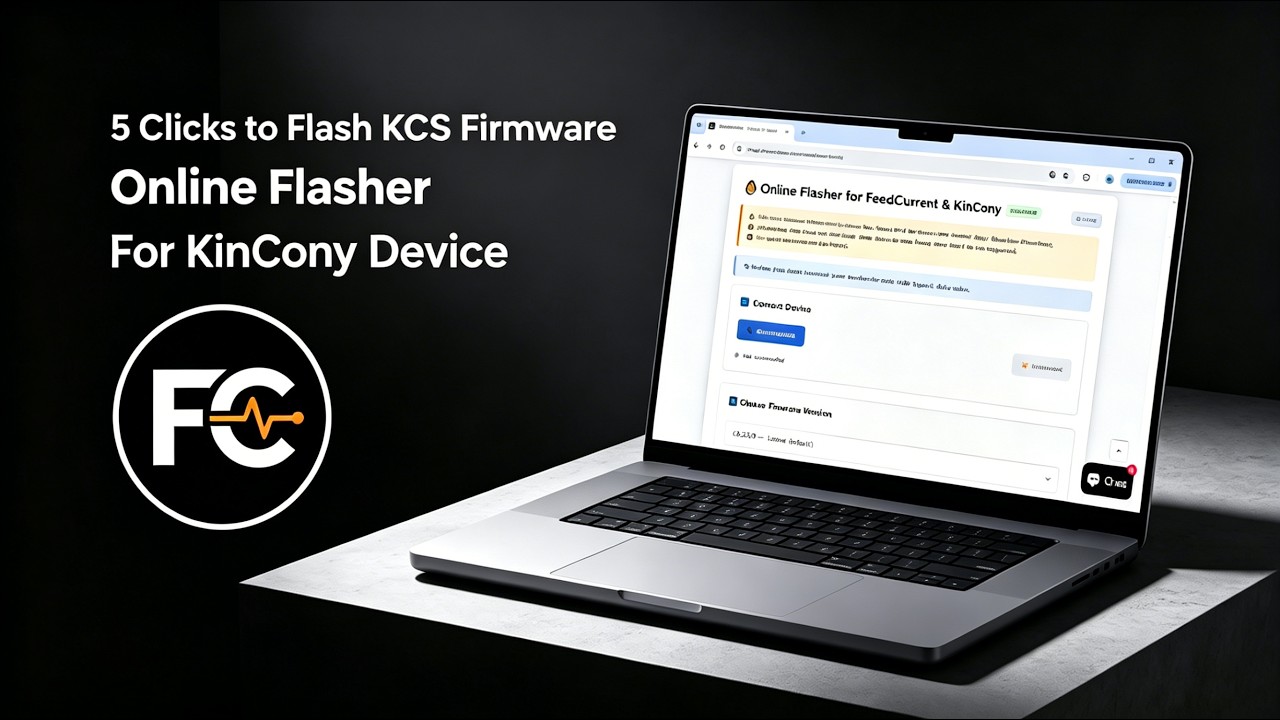
We recommend using the Online Flasher — no driver installation required, works entirely in your browser. Alternatively, follow the Quick Start Guide for manual flashing with the ESP32 desktop tool.
Step 2: Connect & Configure
Power on the board, connect via Ethernet or Wi-Fi, and access the web configuration interface. For detailed configuration, see the KCS Firmware User Guide.
Step 3: Integrate
Enable MQTT auto-discovery in Home Assistant, or pair with Tuya App for voice control.
IV. Video Tutorial: How to Flash KCS Online
No Drivers Needed, No Complex Setup—Flash Directly within Your Browser in 1 Minute!
Looking for software solutions for other products?
View All Product Software Solutions →