

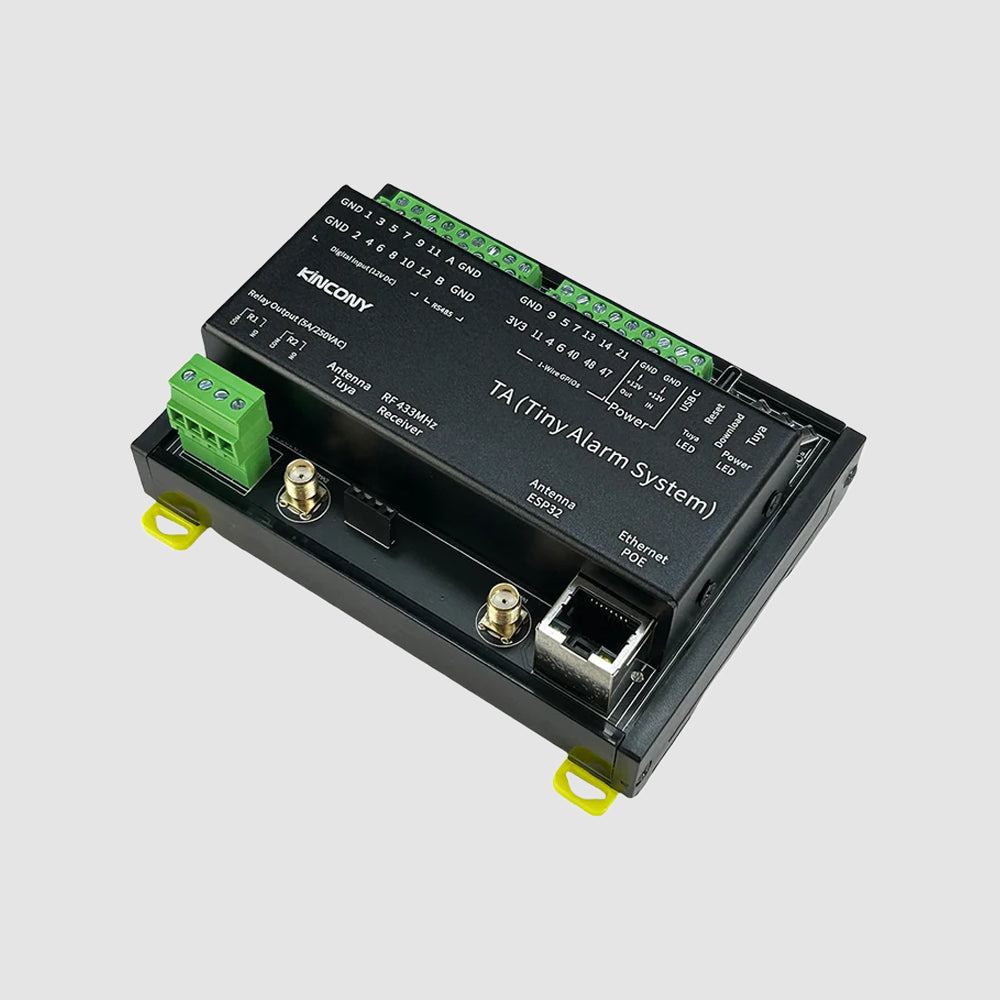


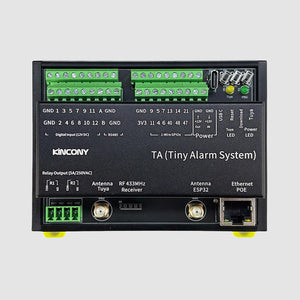

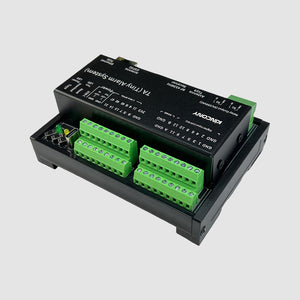
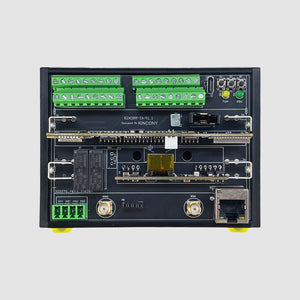
KinCony TA Smart Home Alarm System
Frequently Bought Together
Turn any space into a smart, secure area with the KinCony TA. This compact control unit is built to add reliable, app-based security to apartments, small offices, or outbuildings. Powered by the ESP32-S3, it connects directly to your Wi-Fi or network and works with both the Tuya App (for simple remote control) and Home Assistant (for powerful local automation) without complex setup.
Why You'll Love This Controller
✔ Get Professional-Grade Security, Simply
Monitor 12 zones and control 2 outputs—all managed from the easy-to-use Tuya App on your phone. No complicated programming needed to get started.
✔ Your Bridge Between Two Worlds
It’s the only controller you need if you want both the simplicity of the Tuya App and the power of Home Assistant working together seamlessly..
✔ Install It Anywhere, Reliably
Designed for real-world installation with robust opto-isolated inputs (great for long wire runs), a precise RTC clock, and the option to use PoE for a super-clean, single-cable power and network connection.
✔ Easily Expand When You're Ready
Need more data? Connect temperature sensors to the 1-Wire ports. Want a simple remote? Pair an RF keyfob. The hardware is ready for your future needs.
✔ Own Your Alarm System
It’s your hardware. You can use the powerful KCS v3 firmware, flash it with ESPHome or Tasmota, or write your own code in Arduino. Total control, no monthly fees.
Among other outstanding features are the following:
-
Compact and Robust Hardware: Fits neatly into any electrical cabinet with its small, DIN-rail mountable enclosure (115x83x45mm). It’s designed for reliable 24/7 operation.
-
Dual-Network Connectivity: Equipped with both Wi-Fi and Ethernet with PoE for flexible and resilient network integration. Power and connect the device with a single cable using PoE.
-
Precise Time-Stamping: Includes a high-precision DS3231 RTC chip (with battery backup) to ensure accurate time-stamping of events and scheduled actions, even if the network is down.
-
Expandable Sensor Network: Features 12 one-wire GPIOs (with built-in pull-up resistors) for easily connecting extra temperature or humidity sensors around your property.
Technical Specifications:
| Category | Specification |
|---|---|
| Core Processor | ESP32-S3-WROOM-1U (N16R8, dual‑core 32‑bit Xtensa LX7) |
| Digital Outputs | 2× OMRON® SPDT relays ▪ Contact: COM, NO ▪ Max load: 250 VAC / 30 VDC, 5 A per channel |
| Analog Inputs | \ |
| Digital Inputs | 12× dry contact, opto‑isolated ▪ Cable length: up to 500 m (dependent on installation) |
| Digital I/O (GPIO) | ▪ 12× 1‑Wire interface (with pull‑up) |
| Wireless Connectivity | ▪ Wi‑Fi 2.4 GHz (802.11 b/g/n) ▪ Bluetooth 5.0 (BLE) ▪ RF433M receiver interface (reserved) |
| IoT Platform | Tuya‑compatible (via Wi‑Fi/Bluetooth) |
| Wired Connectivity | ▪ Ethernet: 100M RJ45 (IPv4/IPv6) ▪ RS485 ▪ USB‑C (power/programming) |
| Onboard Peripherals | ▪ RTC: DS3231 (battery socket) |
| Power Supply | 12 VDC |
| Dimensions | 115 × 83 × 45 mm |
| Mounting | 35 mm DIN rail (EN 60715) |

I. Firmware Options & Features
| Solution | Ideal For | Key Advantages |
|---|---|---|
| 1. KCS Firmware (Recommended) | Beginners / Zero-Code Users |
✔ Auto-detects Home Assistant via MQTT (zero config) ✔ Works with Tuya App + Alexa/Google Voice Control ✔ Local IFTTT automation (no internet needed) ✔ 2-year free KinCony Cloud (official store only) ✔ Apple HomeKit support for Siri ✔ Supports Loxone Miniserver integration ✔ Multi-protocol: HTTP, MQTT, TCP, RS485 Modbus ✔ Supports PoE power supply |
| 2. ESPHome Firmware | Home Assistant Enthusiasts |
✔ Full open-source customization ✔ Official ESPHome device support for TA ✔ Web UI + deep HA integration ✔ Full YAML examples available |
| 3. Tasmota Firmware | Open-Source Community |
✔ Massive plugin ecosystem ✔ MQTT / Web control + rule engine |
| 4. Arduino / ESP-IDF Custom Code | Developers |
✔ Full Arduino demos provided ✔ Supports MicroPython / ESP-IDF |
| 5. Hybrid Setup (Best Practice) | Advanced Users | Tuya App (remote via internet) + Home Assistant (local via LAN) — Security + convenience |
II. Technical Resources
Direct links to pin definitions, ESPHome configurations, Arduino demo source codes, and KCS firmware. All open-source and maintained on GitHub.
| Resource | Link |
|---|---|
| KCS Firmware | kcs_firmware/TA/ |
| Pin Definitions | TA_pin_definition.md |
| Arduino Demos | TA/ (examples) |
| ESPHome Configuration | Official ESPHome TA device page |
III. Getting Started Guide
Step 1: Flash Firmware
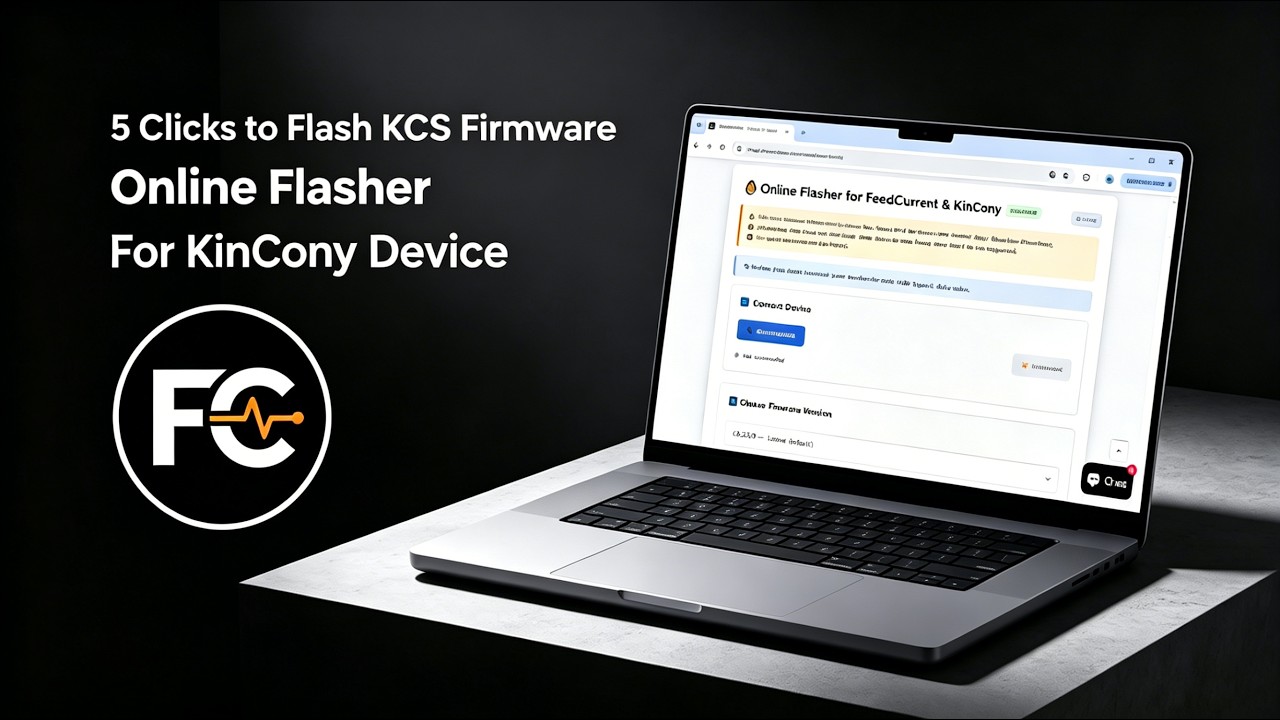
We recommend using the Online Flasher — no driver installation required, works entirely in your browser. Alternatively, follow the Quick Start Guide for manual flashing with the ESP32 desktop tool.
Step 2: Connect & Configure
Power on the board, connect via Ethernet or Wi-Fi, and access the web configuration interface. For detailed configuration, see the KCS Firmware User Guide.
Step 3: Integrate
Enable MQTT auto-discovery in Home Assistant, or pair with Tuya App for voice control.
IV. Video Tutorial: How to Flash KCS Online
No Drivers Needed, No Complex Setup—Flash Directly within Your Browser in 1 Minute!
Looking for software solutions for other products?
View All Product Software Solutions →