


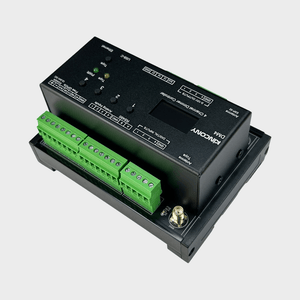
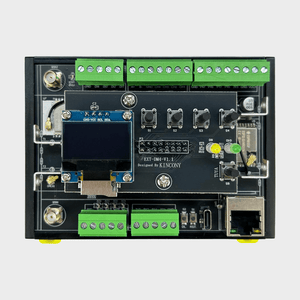
KinCony DM4 4-Channel Dimmer Controller
Frequently Bought Together
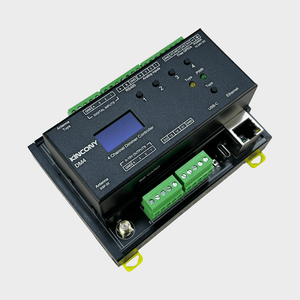
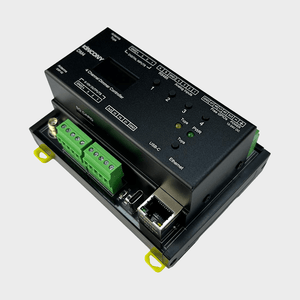
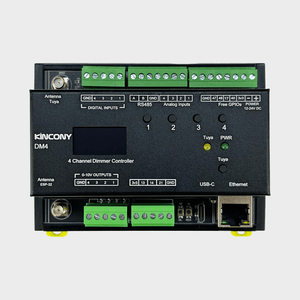
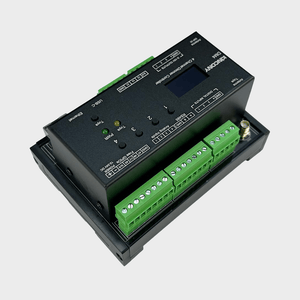
If you need clean, flicker-free analog dimming for a handful of circuits — LED drivers, HVAC actuators, motor speed controllers — the KinCony DM4 gives you exactly that in a compact DIN rail package. It delivers four independent 0-10V DC output channels driven by the ESP32-S3, with Wi-Fi, Ethernet, RS485, and Bluetooth all built in. At 114 x 83 x 59 mm it is one of the smallest controllers in the DM series, making it a natural fit for smaller panels or installations where channel count is modest but reliability and connectivity still matter.
Why You'll Love This Controller
✔ Clean Analog Output
The 0-10V outputs are genuinely smooth — no PWM artifacts, no flicker. If you are dimming LED drivers or controlling actuators that are sensitive to signal quality, this matters.
✔ Precise Sensing
The ADS1115 16-bit ADC gives you sensor readings you can actually trust, including direct support for 4-20mA industrial current loop sensors without any external conversion circuitry.
✔ Firmware Freedom
Use KCS v3 for zero-config Home Assistant integration via MQTT, ESPHome for YAML-based customization, Tasmota for open-source flexibility, or write your own code in Arduino IDE, MicroPython, or ESP-IDF. Your project, your rules.
✔ Smart Platform Ready
Works with Home Assistant, Tuya app, Apple HomeKit (Siri), Google Home, Alexa, and Loxone Miniserver right out of the box with KCS v3 firmware.
✔ Right-Sized for Smaller Installations
At only 114 x 83 x 59 mm, the DM4 fits in panels where a larger board would be overkill. Four channels is often exactly what a room or zone needs.
Among other outstanding features are the following:
- Multi-Network Connectivity: Wi-Fi and 100Mbps Ethernet (IPv4/IPv6) are both available simultaneously, with Bluetooth and USB-C rounding out the connection options. RS485 adds wired serial communication for Modbus devices.
- OLED Status Display: The SSD1306 OLED screen shows the current Wi-Fi IP address, Ethernet IP address, and Tuya cloud connection status — handy at a glance during commissioning or troubleshooting.
- Multi-Protocol Support: Works with HTTP, MQTT, TCP, RS485 Modbus, and the Tuya app. KCS v3 firmware also supports local IFTTT-style automation that runs entirely without internet access.
- Apple HomeKit and Loxone Support: KCS v3 firmware includes Apple HomeKit support for Siri voice control, and native integration with Loxone Miniserver for users already in that ecosystem.
- Free GPIO Pins: Four additional GPIO pins connect directly to the ESP32-S3 (no pull-up resistors on PCB), giving you raw access for custom sensors, LEDs, or other peripherals.
- Cloud Service: Customers purchasing from the official store receive two years of free KinCony cloud access, enabling remote monitoring and control from any web browser without setting up a VPN or port forwarding.
Technical Specifications:
| Category | Specification |
|---|---|
| Core Processor | ESP32-S3-WROOM-1U (N16R8, dual‑core 32‑bit Xtensa LX7) |
| Digital Outputs | 4× 0-10V DC Dimming Outputs |
| Analog Inputs | 4× 16‑bit ADC (ADS1115) ▪ 2× 0–5 VDC ▪ 2× 4–20 mA (loop‑powered) |
| Digital Inputs |
4× dry contact, opto‑isolated ▪ Cable length: up to 500 m (dependent on installation) |
| Digital I/O (GPIO) | ▪ 4× 1‑Wire GPIO (with pull‑up) ▪ 4× free GPIO (direct to ESP32, no pull‑up) |
| Wireless Connectivity | ▪ Wi‑Fi 2.4 GHz (802.11 b/g/n) ▪ Bluetooth 5.0 (BLE) |
| IoT Platform | Tuya‑compatible (via Wi‑Fi/Bluetooth) |
| Wired Connectivity | ▪ Ethernet: 100M RJ45 (IPv4/IPv6) ▪ RS485 ▪ USB‑C (power/programming) ▪ I²C (expansion) |
| Onboard Peripherals | ▪ RTC: DS3231 (battery socket) ▪ Display: SSD1306 128×64 OLED (I²C) ▪ Storage: microSD card socket (SPI bus) |
| User Interface | ▪ 3× buttons: ESP32 Reset, ESP32 Download, Tuya Config |
| Power Supply | 12-24 VDC |
| Dimensions | 114 × 83 × 59 mm |
| Mounting | 35 mm DIN rail (EN 60715) |
I. Firmware Options & Features
| Solution | Ideal For | Key Advantages |
|---|---|---|
| 1. KCS Firmware (Recommended) | Beginners / Zero-Code Users |
✔ Auto-detects Home Assistant via MQTT (zero config) ✔ Works with Tuya App + Alexa/Google Voice Control ✔ Local IFTTT automation (no internet needed) ✔ 2-year free KinCony Cloud (official store only) ✔ Apple HomeKit support for Siri ✔ Supports Loxone Miniserver integration ✔ Multi-protocol: HTTP, MQTT, TCP, RS485 Modbus |
| 2. ESPHome Firmware | Home Assistant Enthusiasts |
✔ Full open-source customization ✔ Official ESPHome device support for DM4 ✔ Web UI + deep HA integration ✔ Full YAML examples available |
| 3. Tasmota Firmware | Open-Source Community |
✔ Massive plugin ecosystem ✔ MQTT / Web control + rule engine |
| 4. Arduino / ESP-IDF Custom Code | Developers |
✔ Full Arduino demos provided ✔ Supports MicroPython / ESP-IDF |
| 5. Hybrid Setup (Best Practice) | Advanced Users | Tuya App (remote via internet) + Home Assistant (local via LAN) — Security + convenience |
II. Technical Resources
Direct links to pin definitions, ESPHome configurations, Arduino demo source codes, and KCS firmware. All open-source and maintained on GitHub.
| Resource | Link |
|---|---|
| KCS Firmware | kcs_firmware/DM4/ |
| Pin Definitions | DM4_pin_definition.md |
| Arduino Demos | DM4/ (examples) |
| ESPHome Configuration | Official ESPHome DM4 device page |
III. Getting Started Guide
Step 1: Flash Firmware
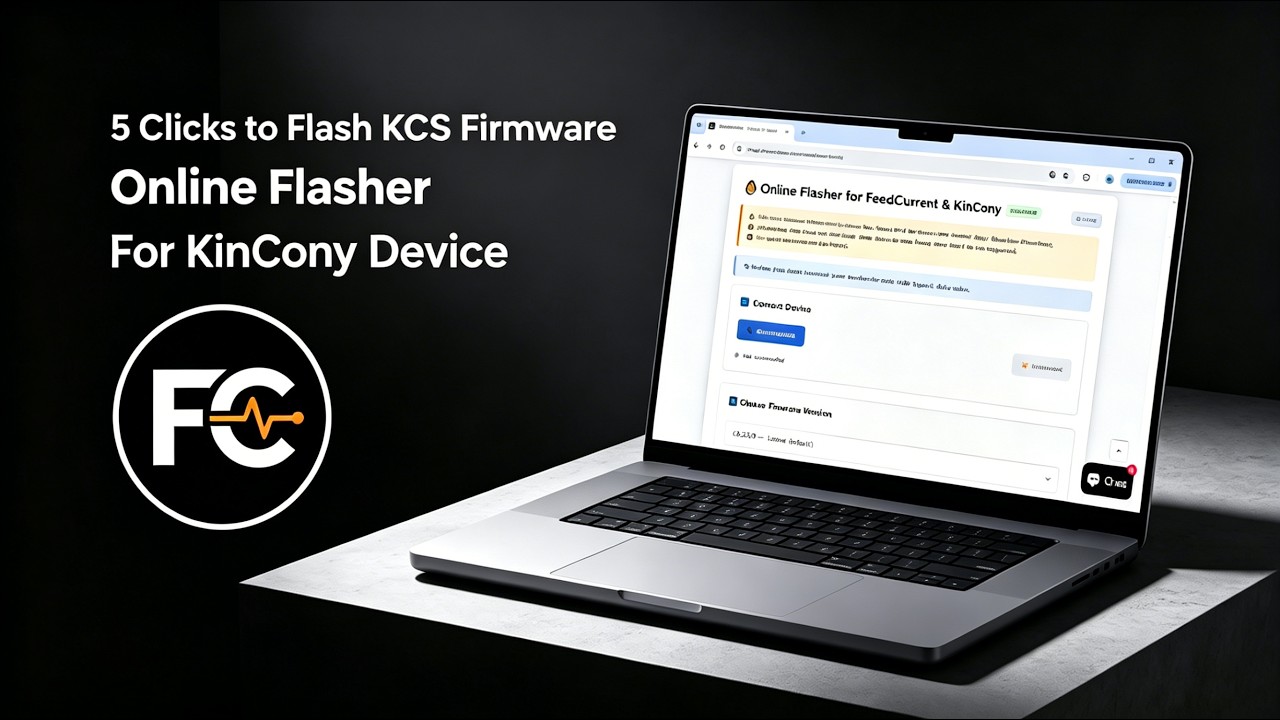
We recommend using the Online Flasher — no driver installation required, works entirely in your browser. Alternatively, follow the Quick Start Guide for manual flashing with the ESP32 desktop tool.
Step 2: Connect & Configure
Power on the board, connect via Ethernet or Wi-Fi, and access the web configuration interface. For detailed configuration, see the KCS Firmware User Guide.
Step 3: Integrate
Enable MQTT auto-discovery in Home Assistant, or pair with Tuya App for voice control.
IV. Video Tutorial: How to Flash KCS Online
No Drivers Needed, No Complex Setup—Flash Directly within Your Browser in 1 Minute!
Looking for software solutions for other products?
View All Product Software Solutions →